UI/UX Designer (Solo)
Android Mobile + Web
6 weeks
Figma, Lovable
Overview
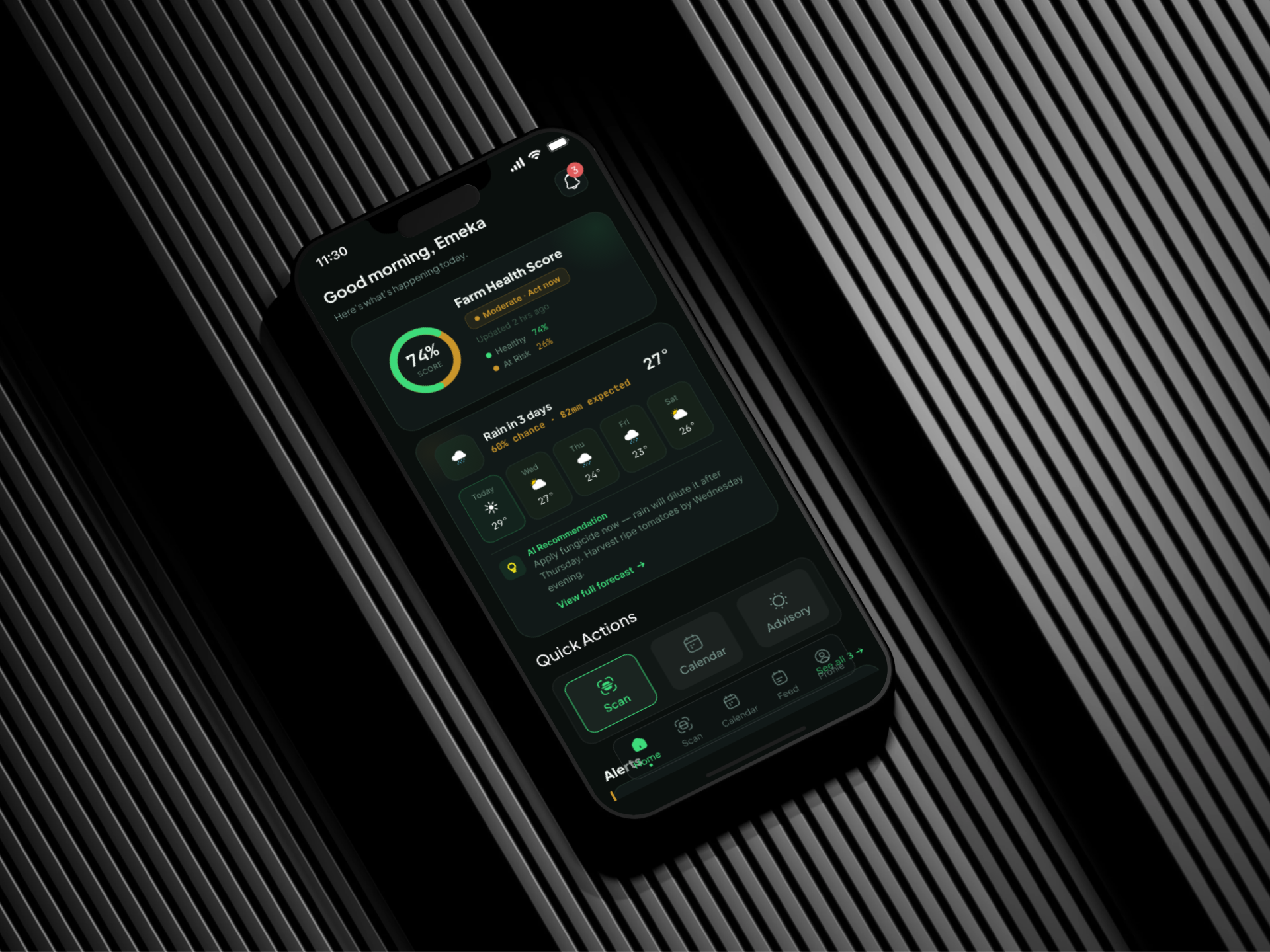
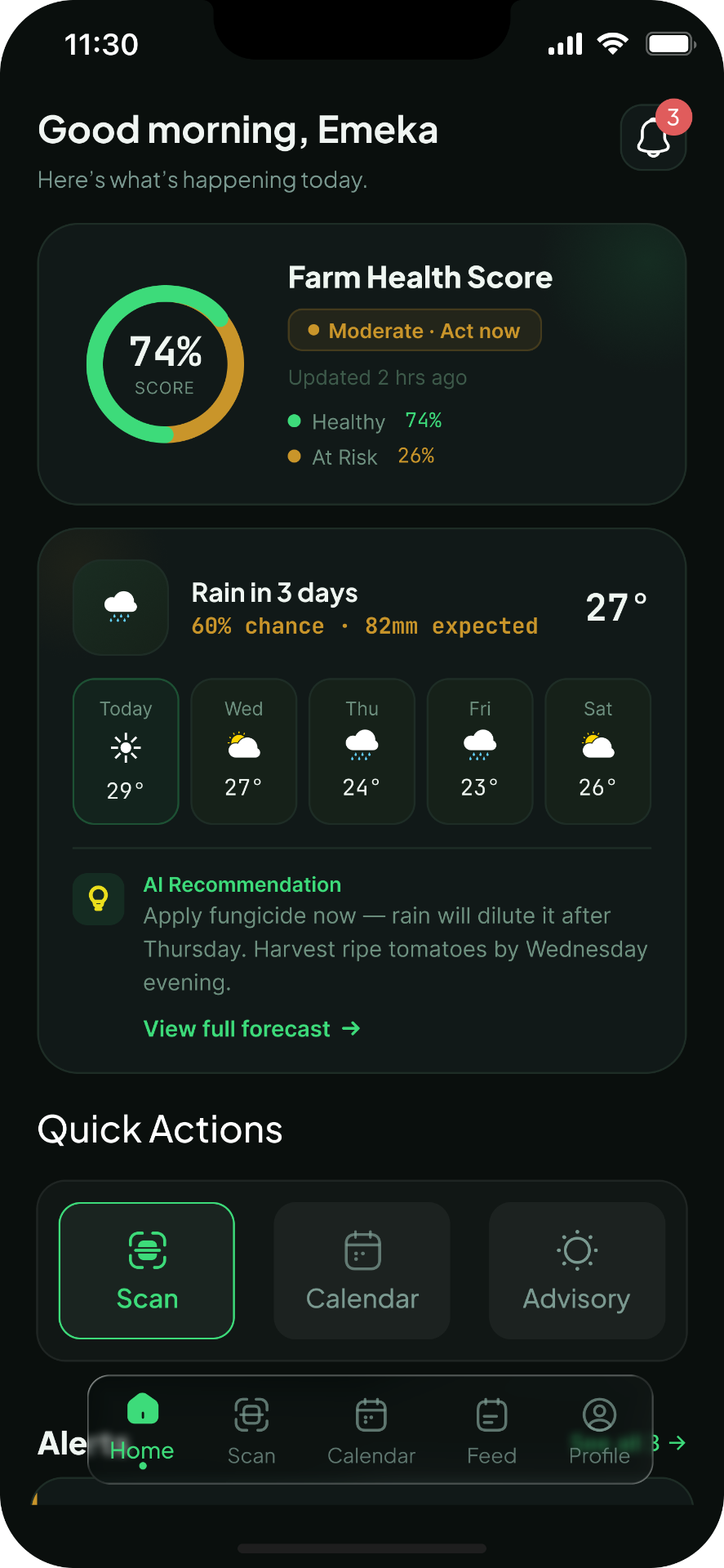
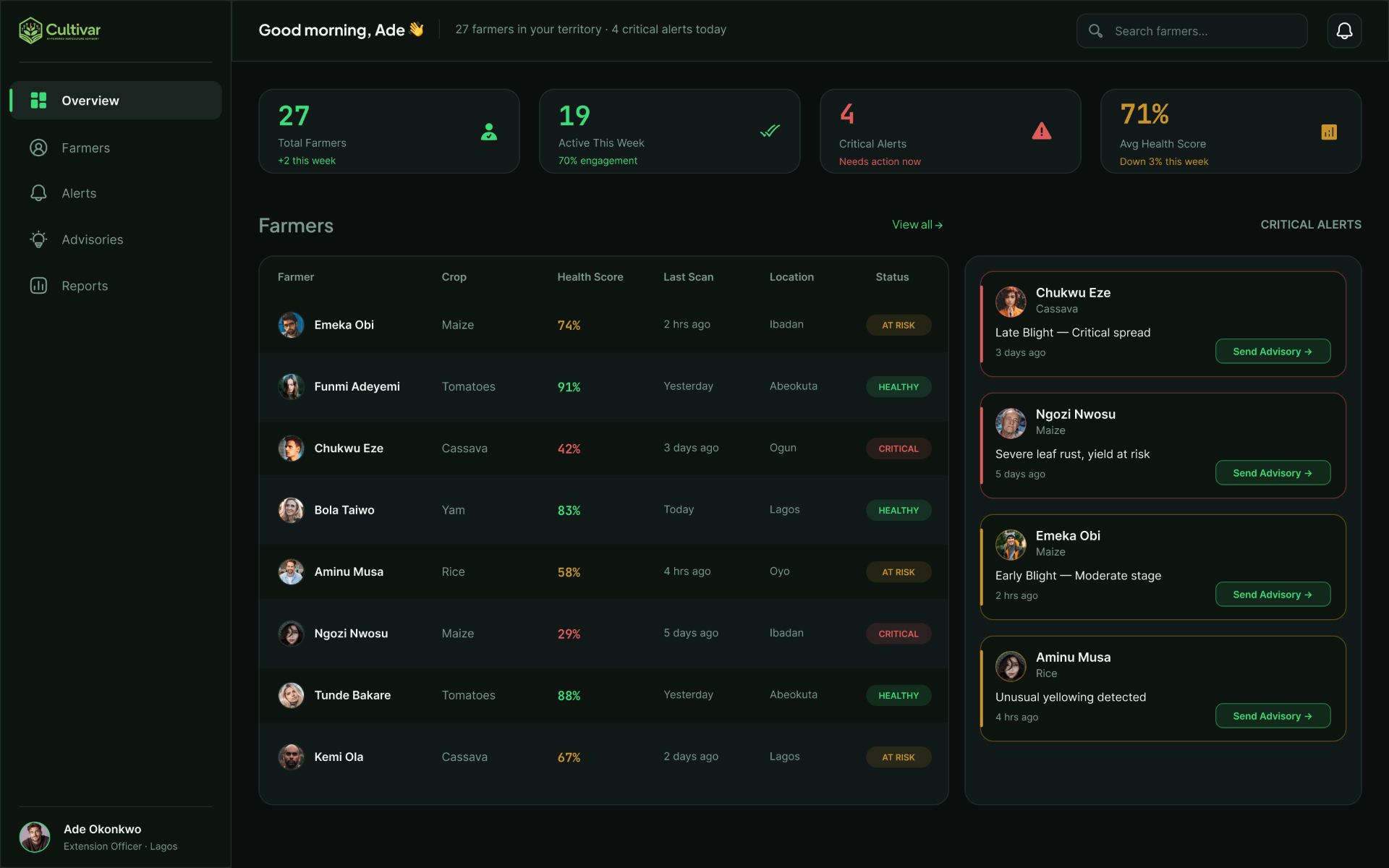
Cultivar is an AI-powered farm advisory mobile app for smallholder farmers across sub-Saharan Africa. It gives farmers real-time crop health diagnosis, personalized planting calendars, and plain-language AI advice on any mid-range Android phone. The project also includes an Extension Officer web dashboard, a B2B layer that gives agricultural field officers a command center for the 30 to 50 farmers in their territory.
33% of crop yield is lost to disease and pests every season. 80% of farmers make planting decisions based on tradition, not data. Less than 5% have access to a trained agricultural extension officer. The tools that exist were built for desktop, English speakers, and farmers who already have WiFi. That is not a technology problem. That is a design values problem.
- Designing for low digital literacy users interacting with AI output, presenting machine learning results to someone who has never used an AI tool
- Communicating confidence scores without confusion, translating 87% into visual language a farmer already understands
- Making AI explainability feel human, not technical, with plain-language reasons a farmer can act on
- Offline-first design, the app had to work without constant data connectivity
- Designing across two user types and two platforms, mobile for the farmer and web for the extension officer
Existing Agritech Tools Aren't Designed for Emeka.
I audited 6 existing agritech platforms across 5 criteria, UX quality, AI capability, smallholder focus, mobile experience, and offline support. 6 tools audited. 5 criteria. 0 passed all five.
| Tool | UX Quality | AI/Diagnosis | Smallholder Focus | Mobile-First | Offline Ready | Key Weakness |
|---|---|---|---|---|---|---|
| Plantix | 4/5 | 5/5 | 3/5 | 5/5 | 2/5 | Generic UI, no SSA localisation. Diagnosis only. No advisory layer. |
| Zenvus | 2/5 | 3/5 | 2/5 | 2/5 | 1/5 | Requires physical sensor hardware. Web dashboard built for agronomists, not farmers. |
| Hello Tractor | 3/5 | 1/5 | 3/5 | 4/5 | 2/5 | Solves equipment access, not crop intelligence. No disease diagnosis or advisory. |
| FarmLogs | 3/5 | 2/5 | 1/5 | 3/5 | 2/5 | Built for US commercial farms. Desktop-first. English only. Irrelevant to SSA smallholders. |
| Tulaa | 2/5 | 1/5 | 4/5 | 3/5 | 2/5 | Credit and input financing only. No AI diagnosis. No real-time crop advisory. |
| Apollo Agriculture | 2/5 | 2/5 | 4/5 | 3/5 | 1/5 | Satellite ML for credit scoring, not farmer advisory. Agent-mediated. Complex onboarding. |
No tool explains its AI
Every tool that uses AI gives you a result. None tell the farmer why. Blind trust is not a UX strategy.
All require consistent internet
Rural SSA connectivity is patchy at best. Every tool audited fails at the moment of actual need.
None combine all 5 criteria
Good UX or AI or smallholder focus, never all three together. The market gap is the entire product category.
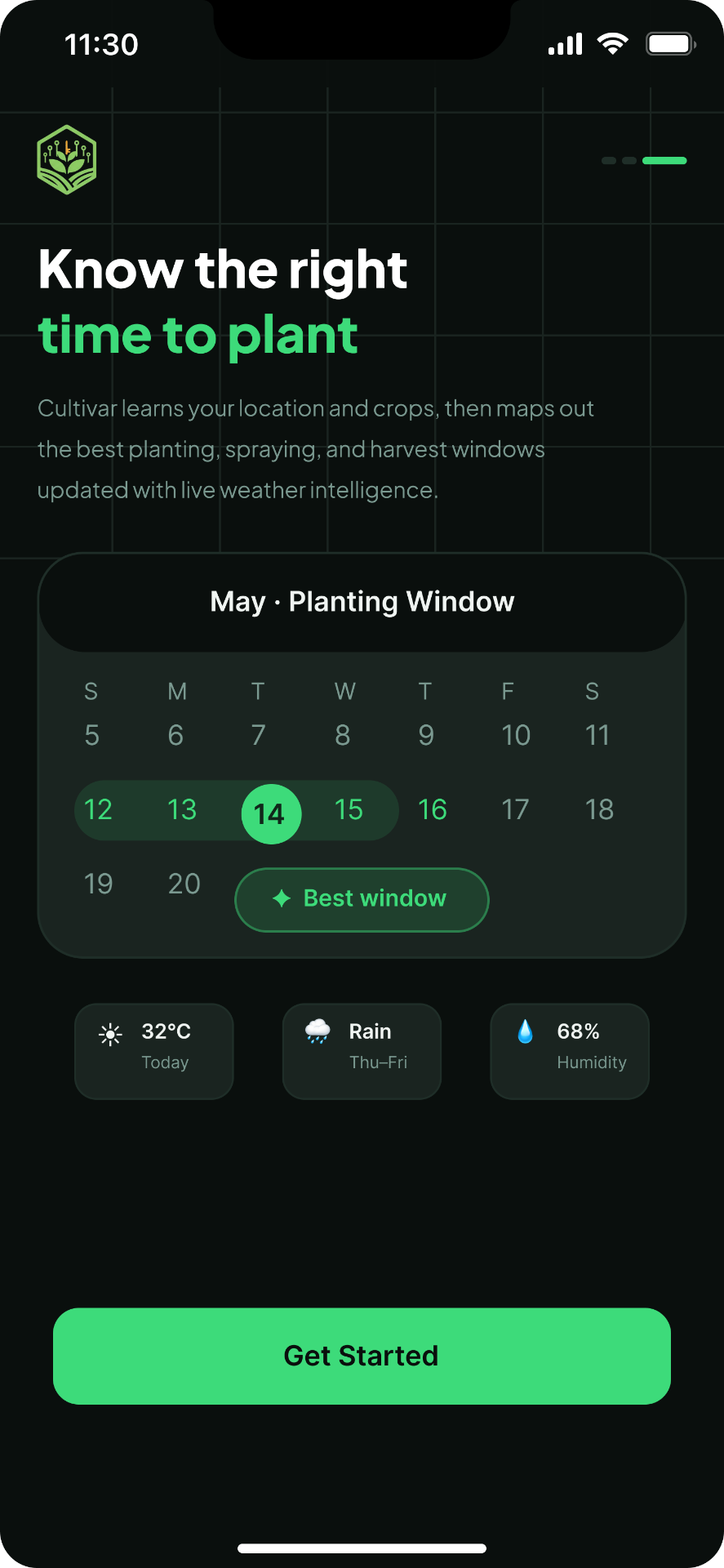
Cultivar is the only tool in this audit designed to score strong across all five criteria, built for a mid-range Android, offline, in a field, at 6am.
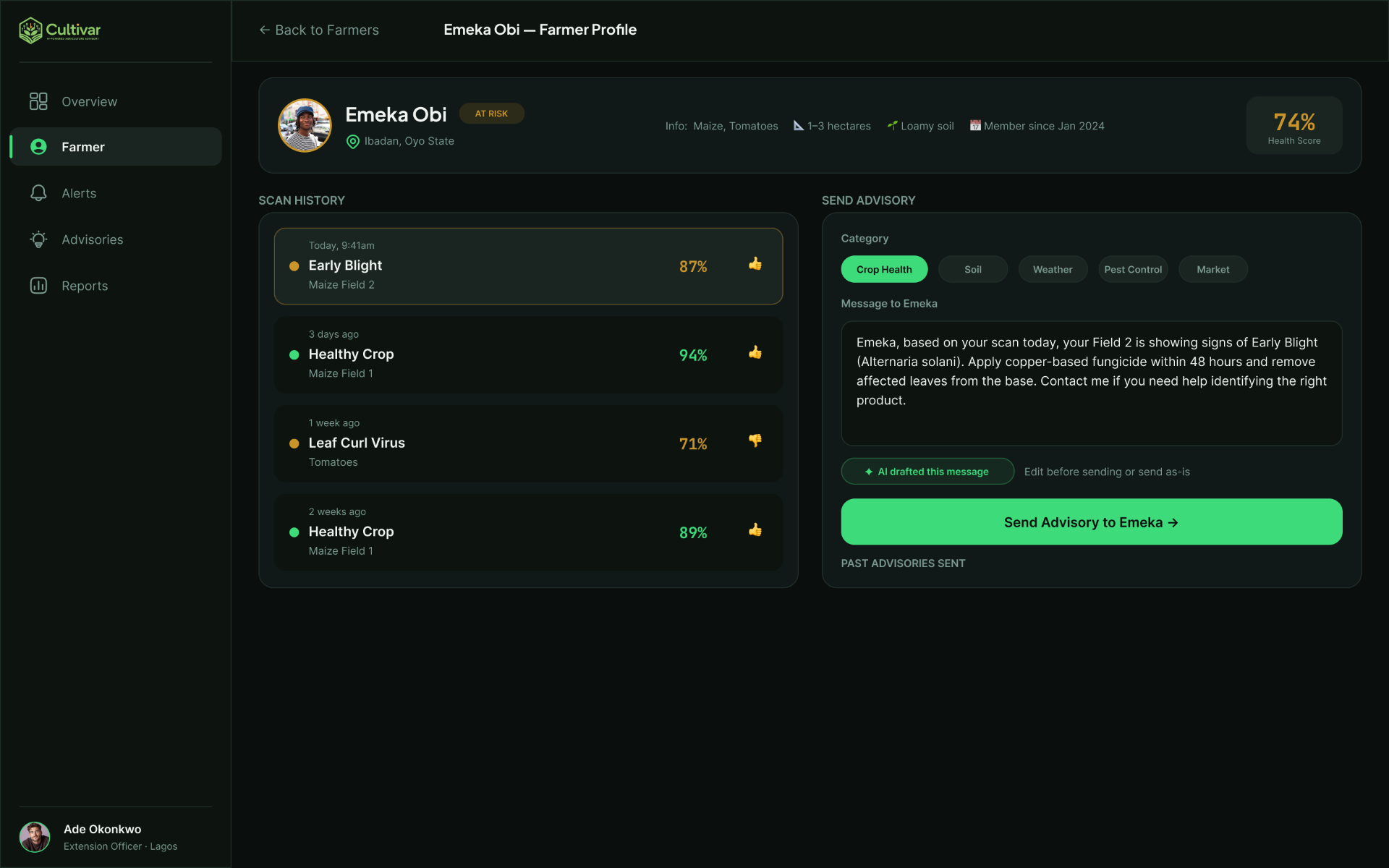
Primary user: Emeka Obi, 34, smallholder farmer in Ibadan, Nigeria. Farms 2 hectares of maize and tomatoes. Makes all critical decisions based on passed-down knowledge. Uses a mid-range Android phone. Secondary user: Ade Okonkwo, an Agricultural Extension Officer responsible for 27 farmers across three villages in Lagos State, with no central tool to monitor his territory.
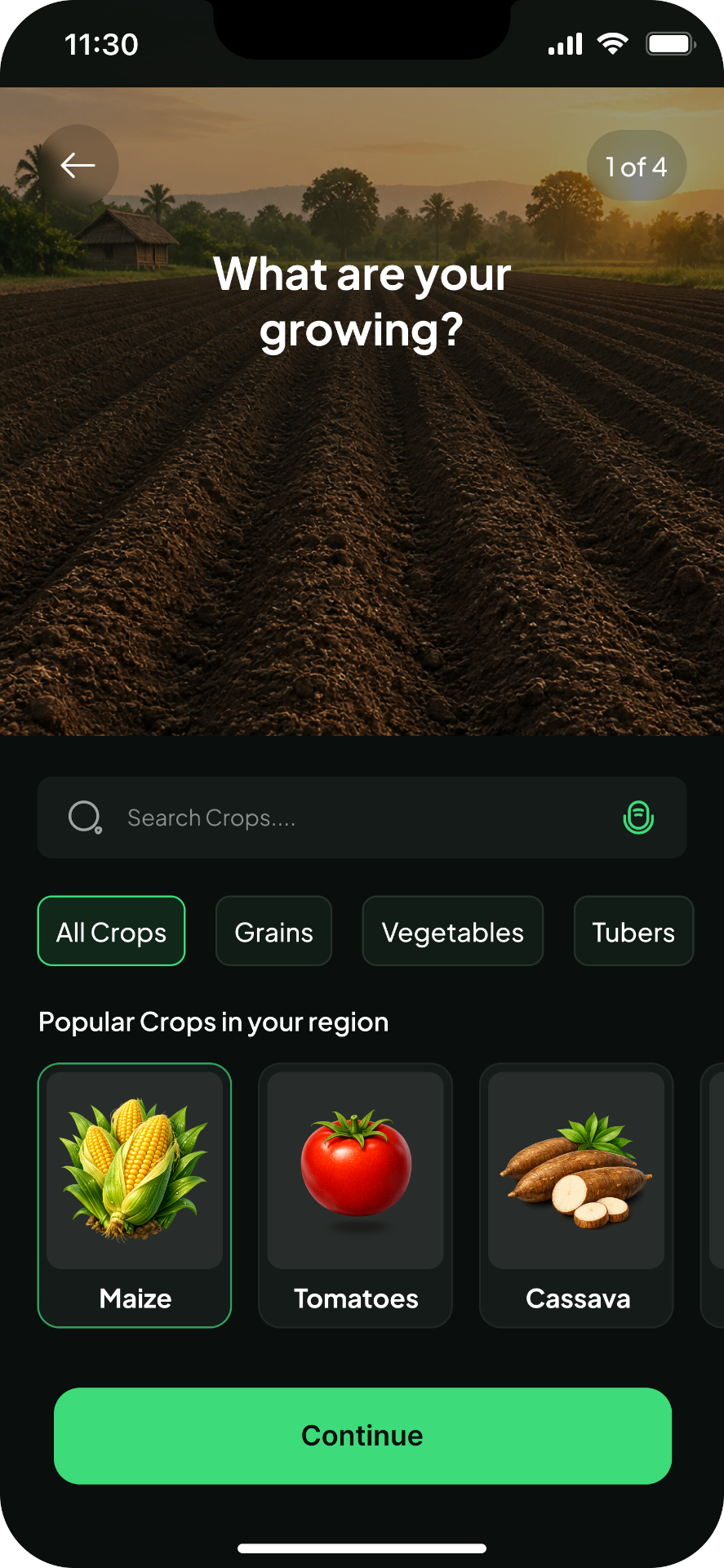
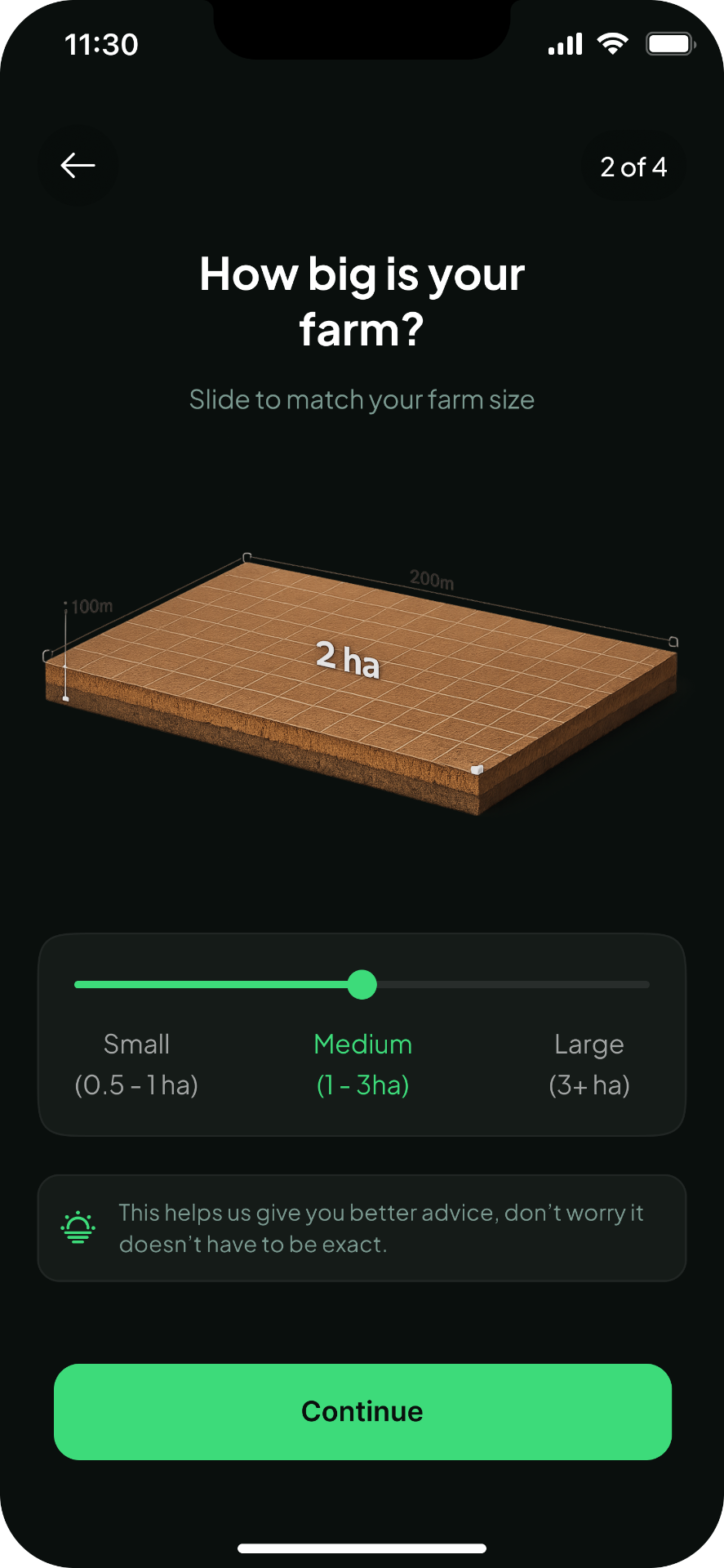
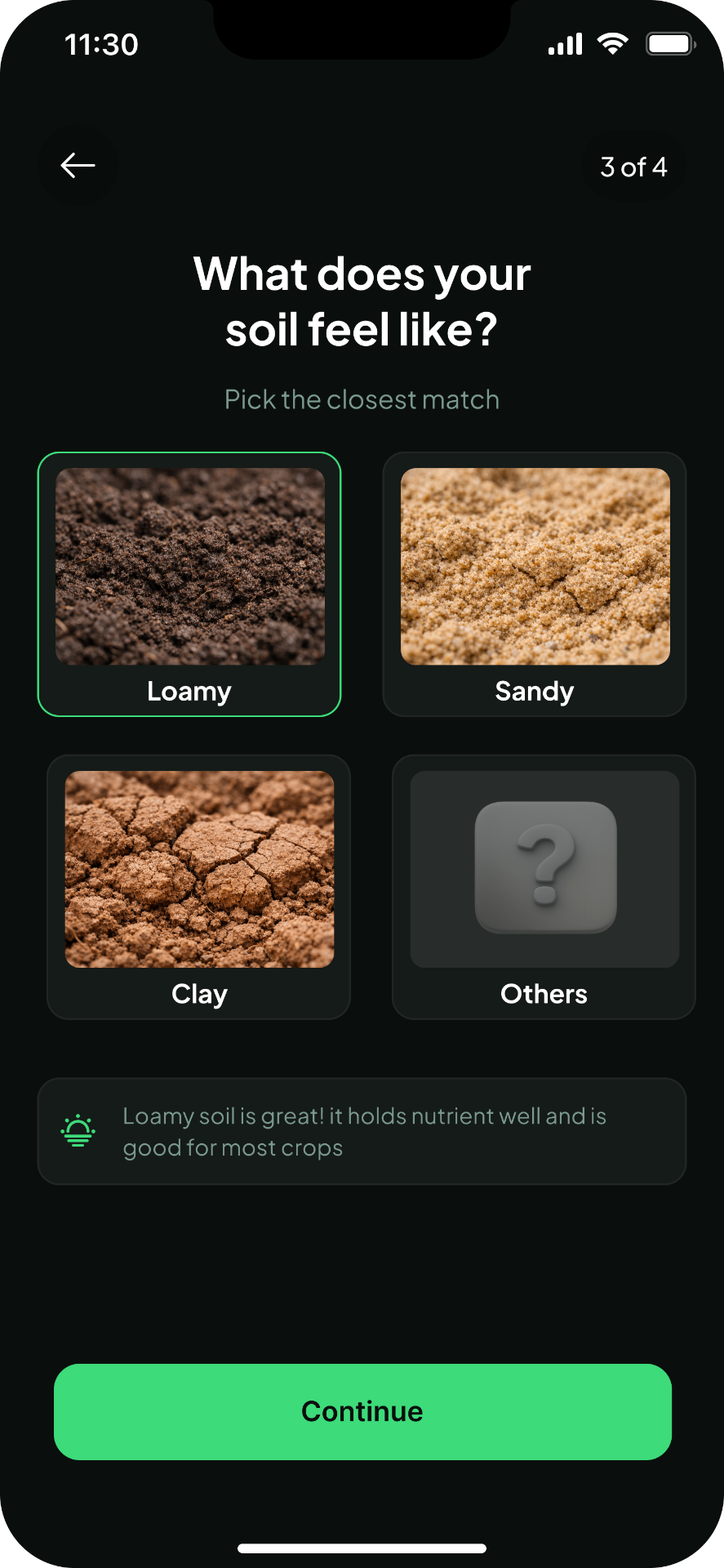
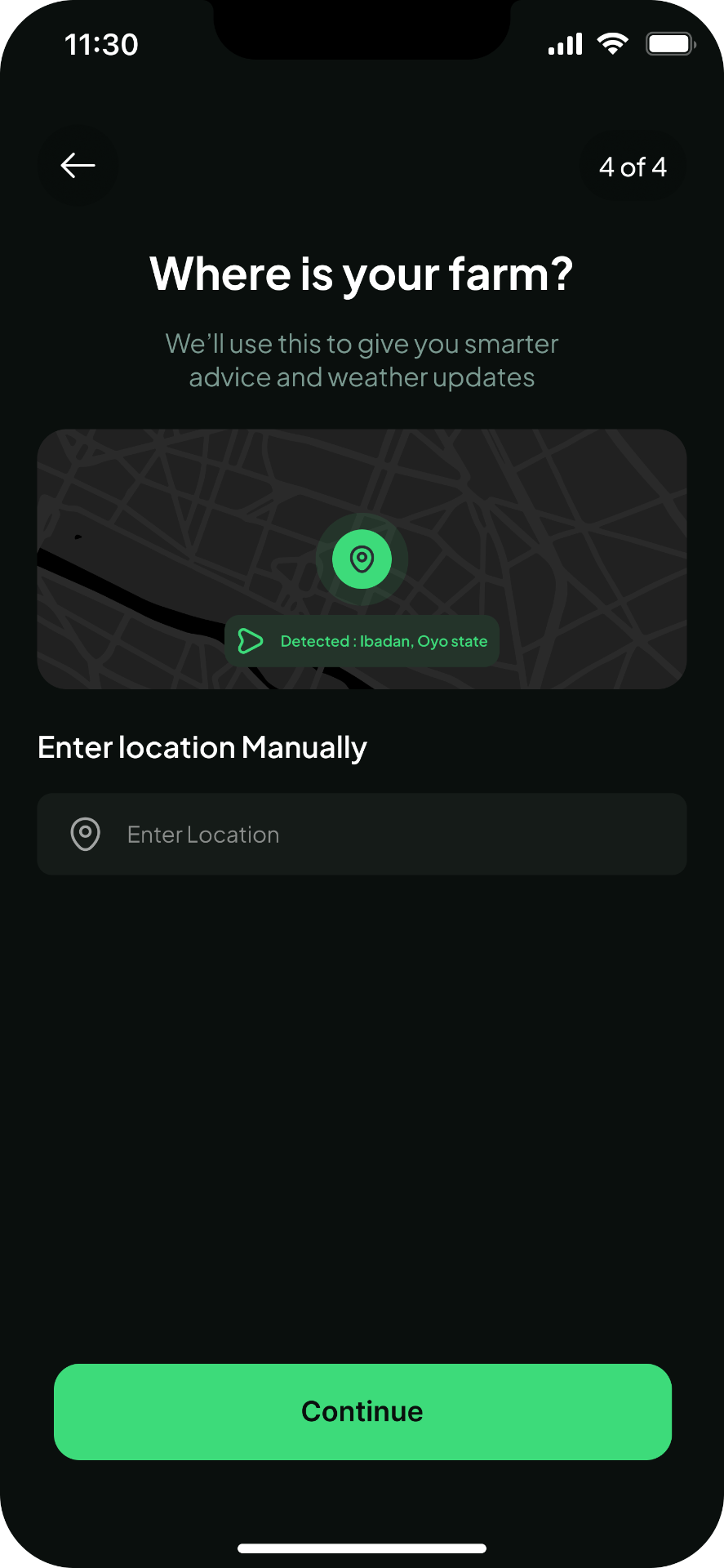
- Forms vs Conversations: farm profile setup as one full-screen question at a time, large tappable visual cards, no text inputs
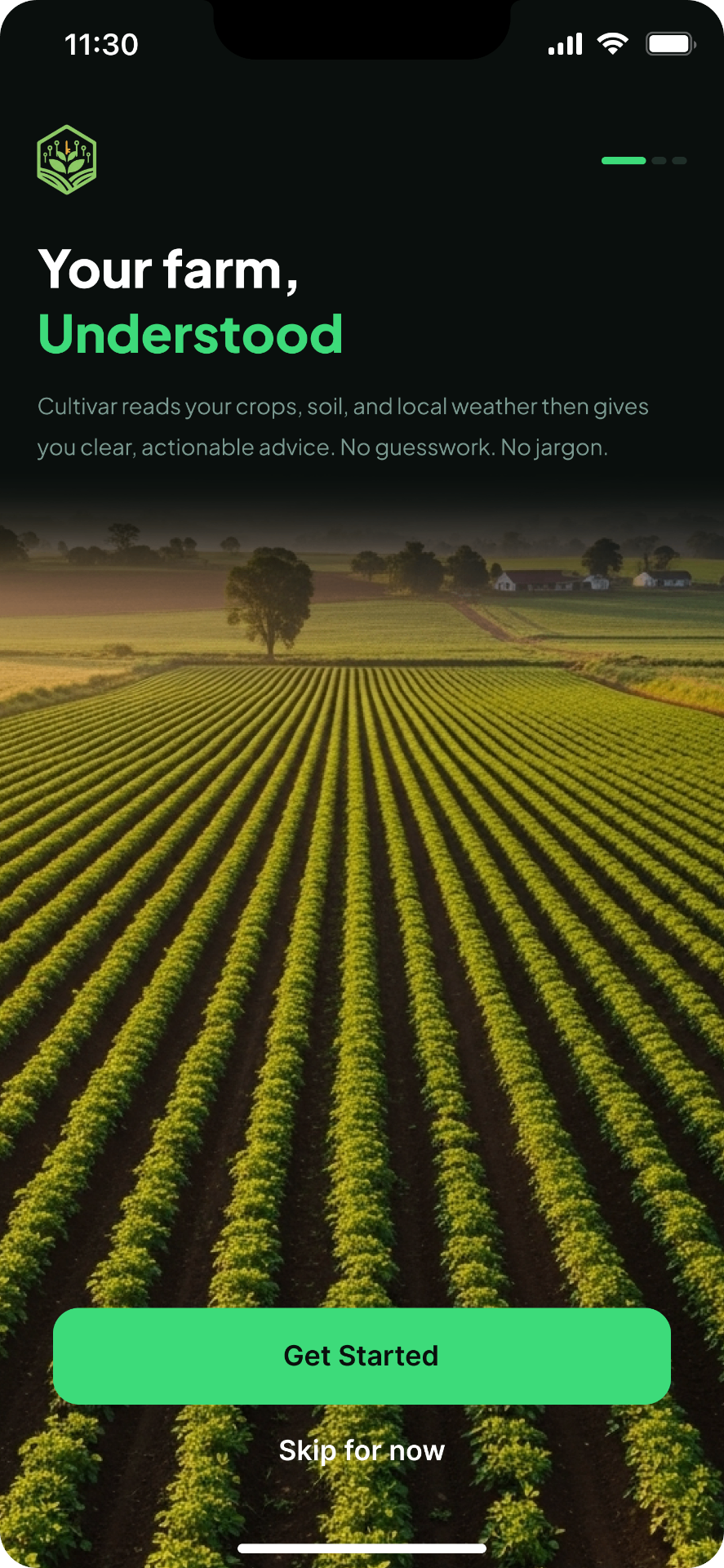
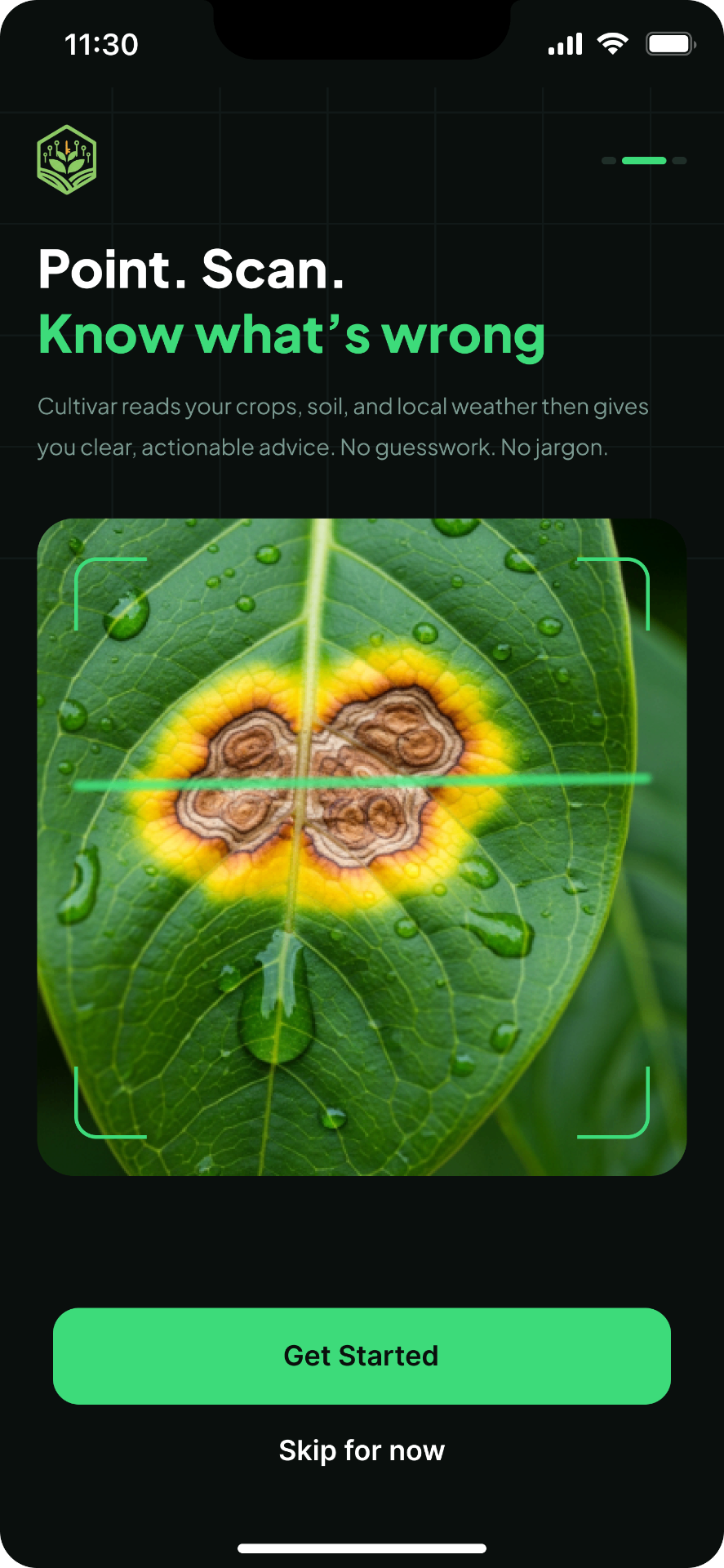
- Real photography over illustration so farmers instantly recognize the app was built for them
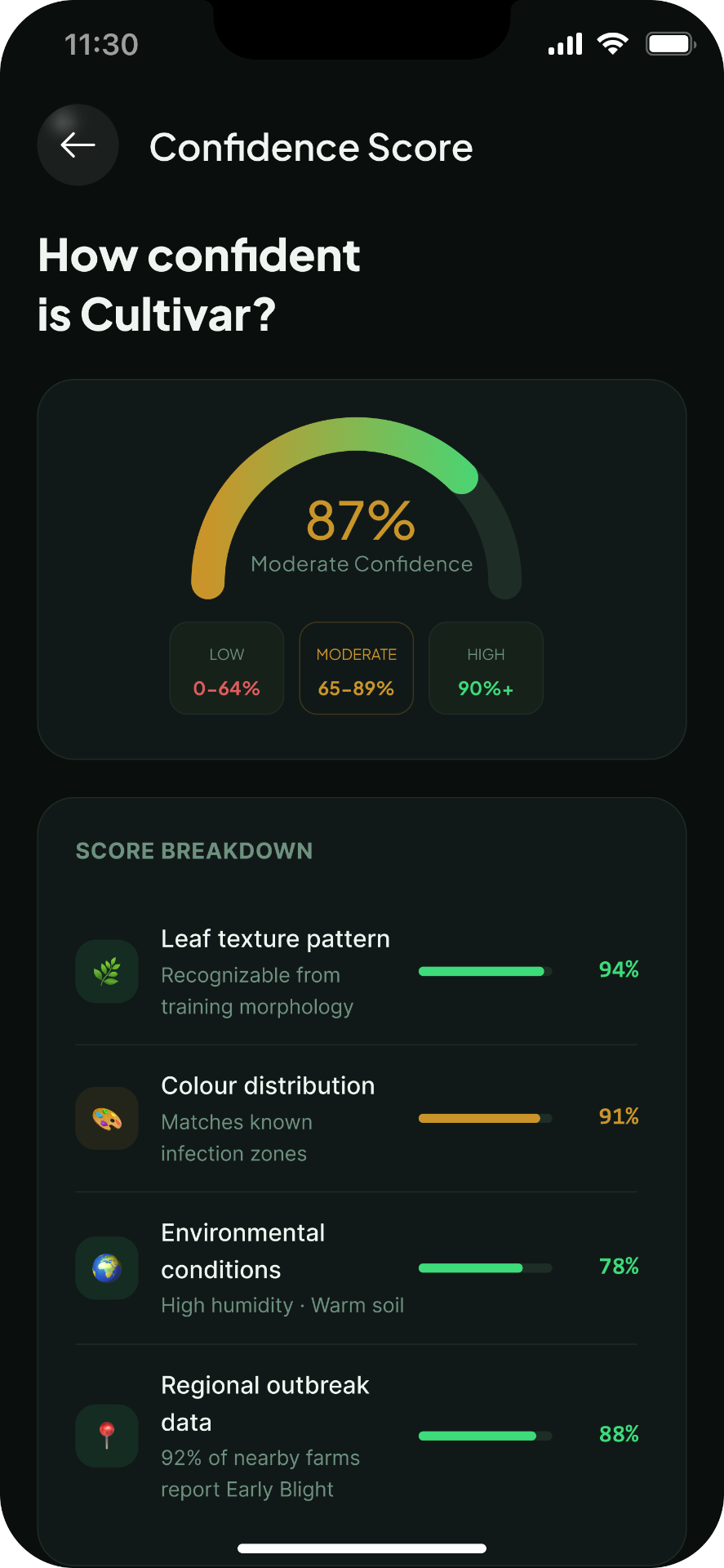
- Confidence scores as a semicircle gauge with three labeled zones (Low, Moderate, High), color-coded for action
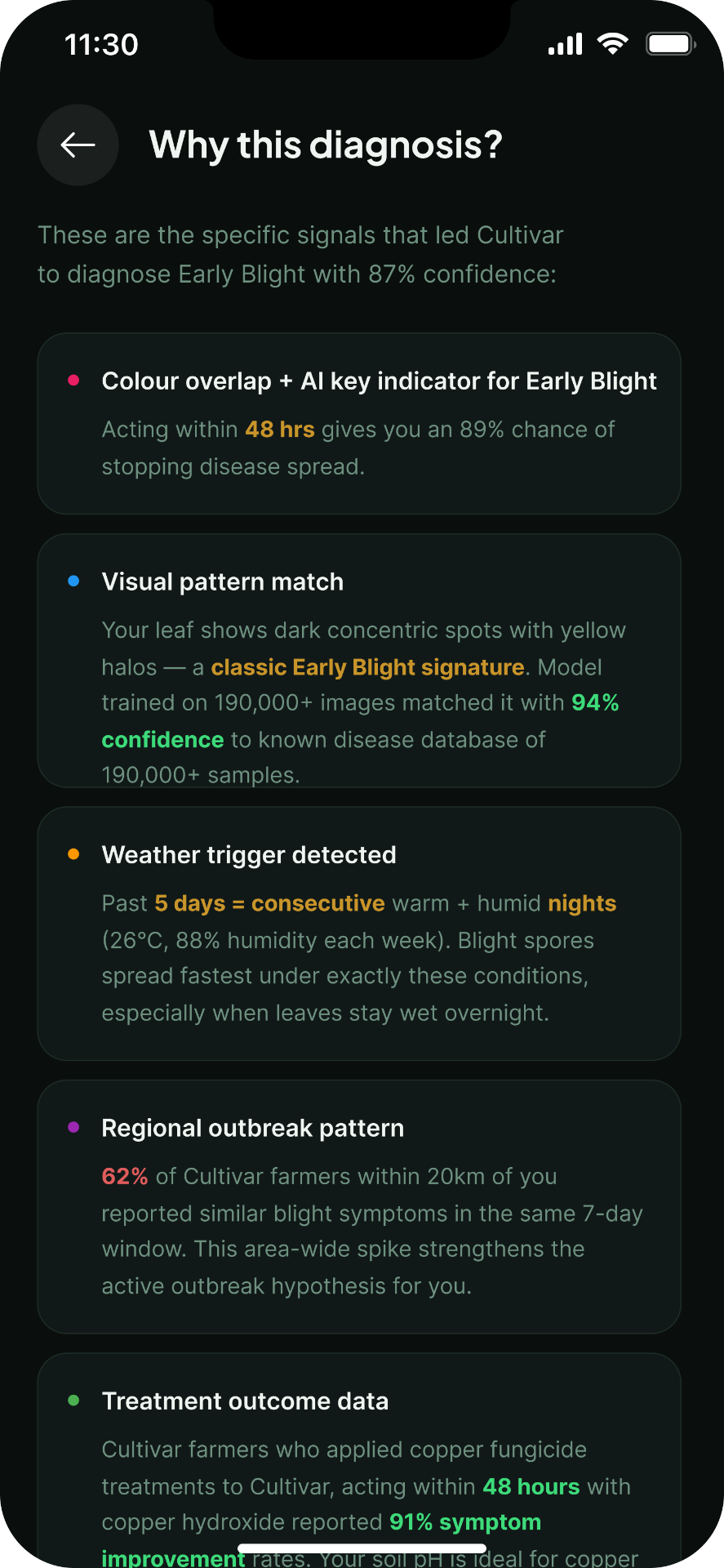
- Explainability as trust: every diagnosis has a "Why is Cultivar saying this?" button with four plain-language cards
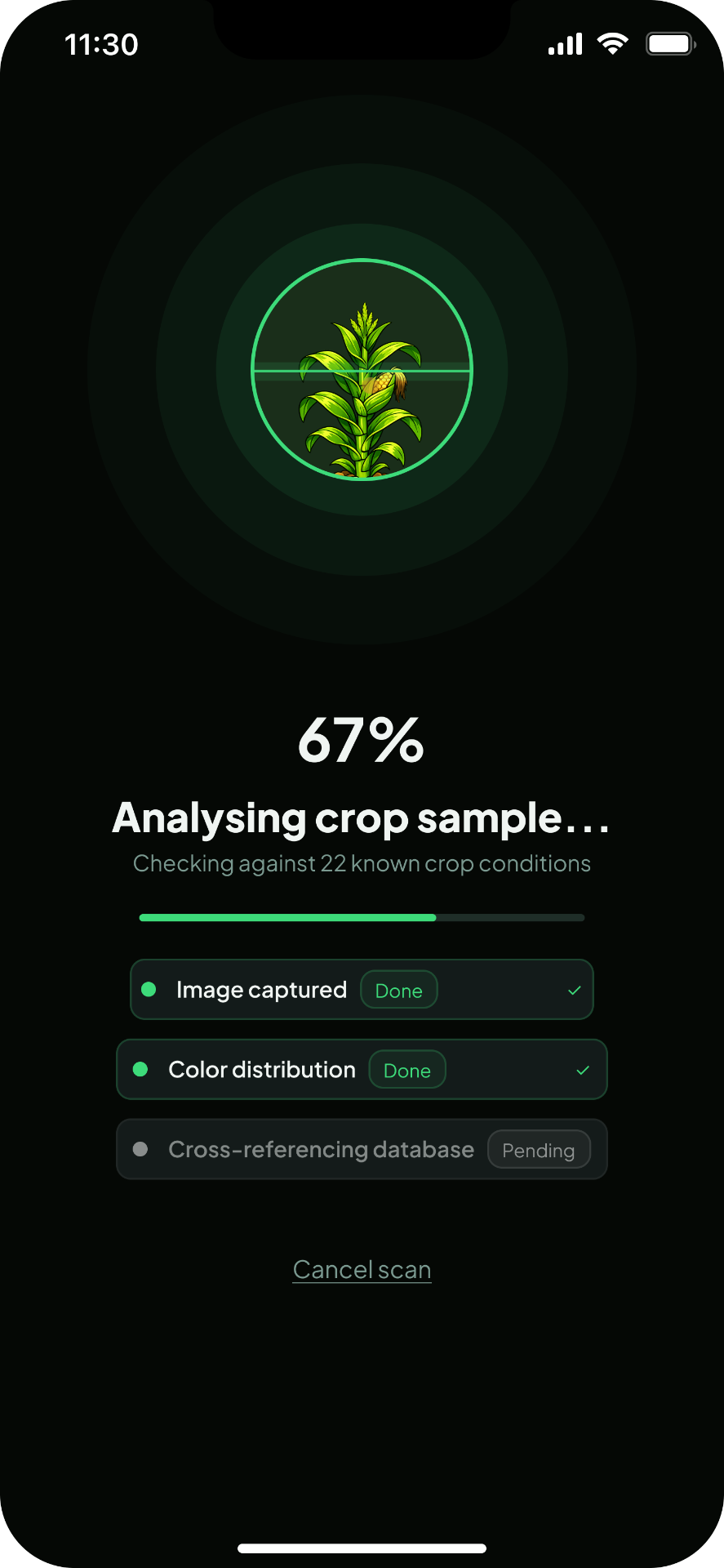
- Processing screen as transparency window: percentage counter and step list with checkmarks, not a generic spinner
Forms vs Conversations
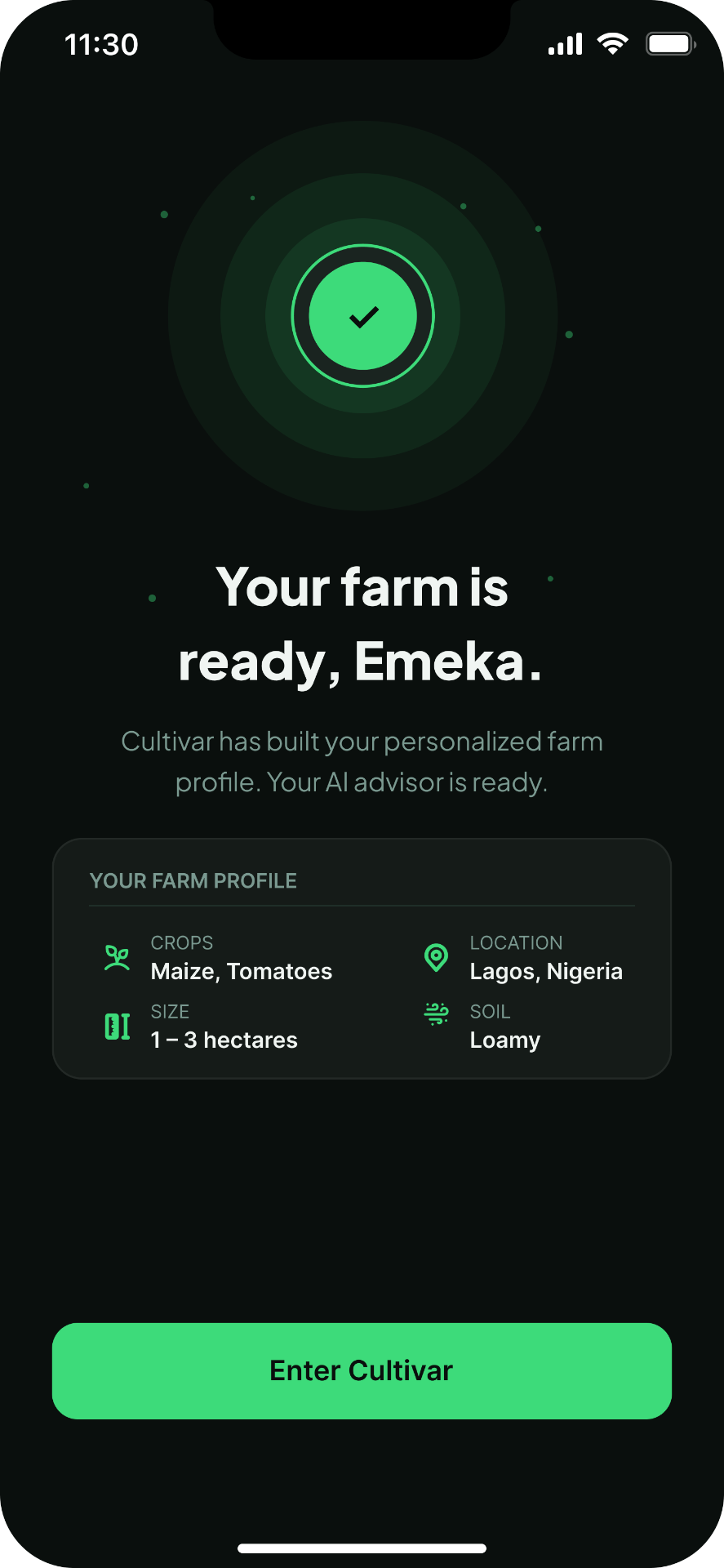
The farm profile setup collects 4 data points. Instead of a standard form, I designed it as a conversation, one full-screen question at a time, large tappable visual cards, no text inputs. A form says "fill this out." A conversation says "tell me about yourself." Same information. Completely different feeling.
Real Photography Over Illustration
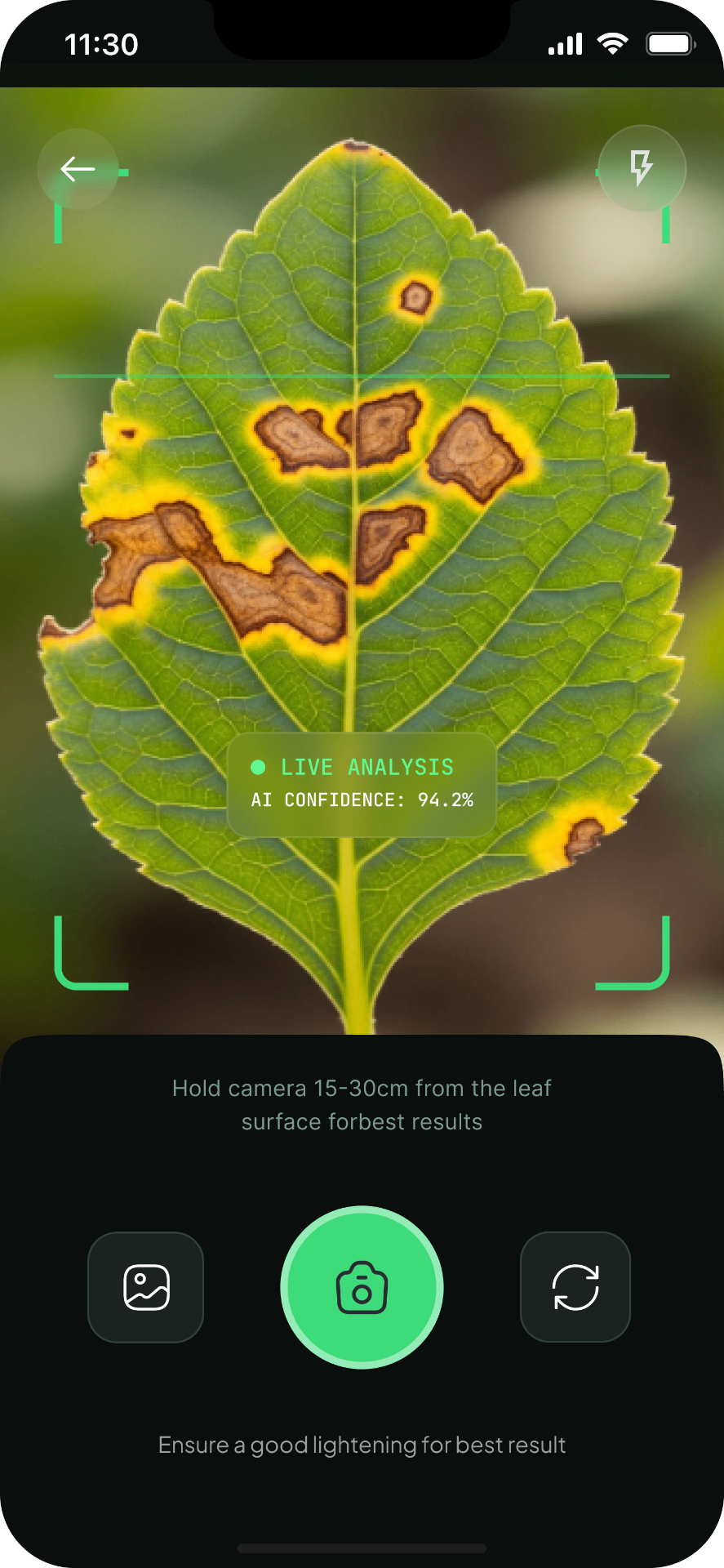
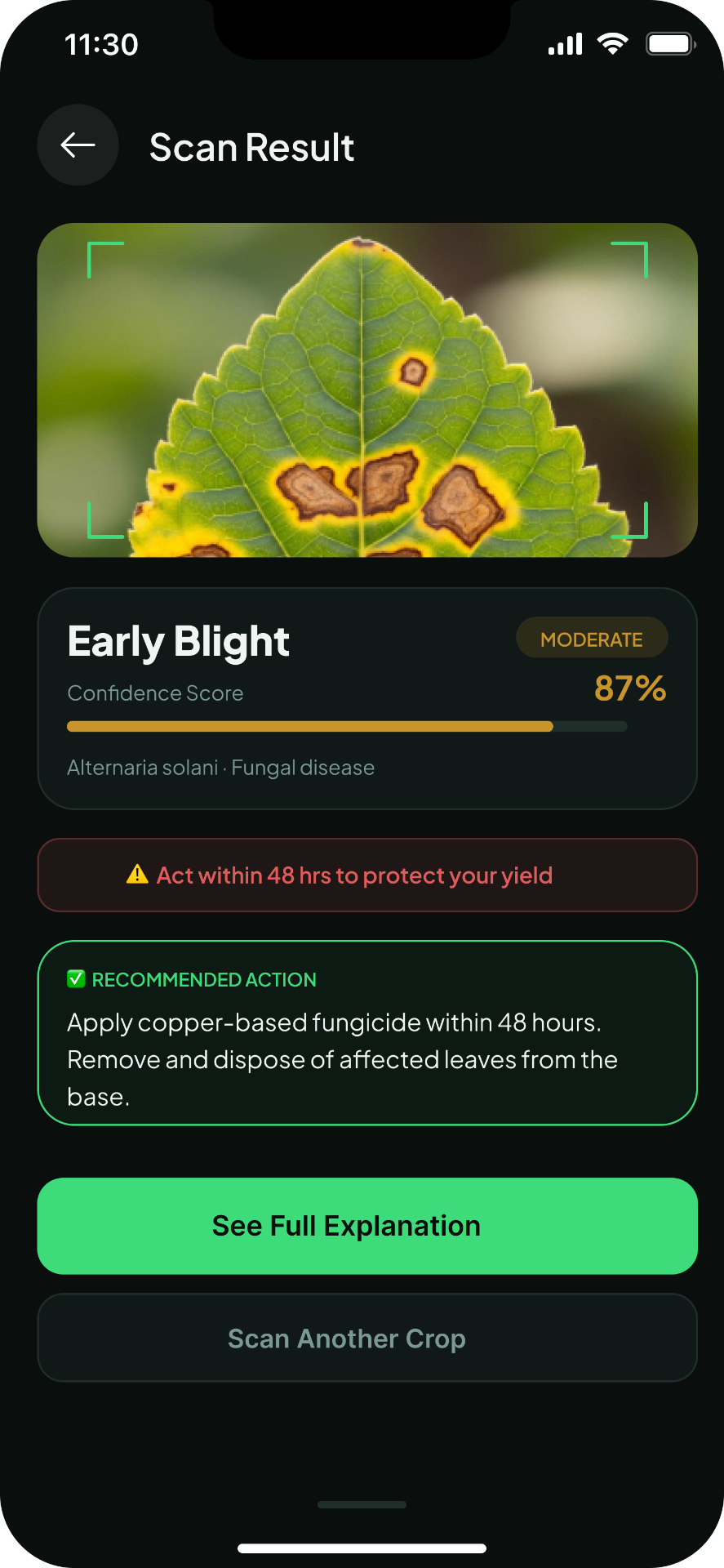
Every hero image in onboarding is real photography, a maize field at golden hour, a diseased leaf close-up, an aerial farm drone shot. The moment Emeka sees a real maize field on screen, not a cartoon version of one, he feels: this app was made for me. That recognition has to happen in the first 2 seconds. Illustration cannot do that.
Confidence Scores as Visual Language
The AI returns confidence scores with every diagnosis. I designed a semicircle gauge with three labeled zones, Low (0 to 64%), Moderate (65 to 89%), High (90% and above), color-coded green, amber, red. Emeka does not need to know what 87% means mathematically. He needs to know whether to act now, monitor closely, or scan again.
Explainability as Trust
Every diagnosis has a "Why is Cultivar saying this?" button. One tap. Four plain-language explanation cards. What it saw on the leaf. What the weather data said. What nearby farms reported. What acting now means for his yield. No jargon. Just: here is what I saw, here is why it matters.
Processing Screen as Transparency Window
The crop scanner processing state shows exactly what the AI is doing in real time, a percentage counter, a step list with checkmarks as each phase completes. A generic spinner says: wait. This says: here is what is happening and how far along we are.
Splash & Onboarding
Farm Profile Setup
Home Dashboard
Crop Health Scanner — All 3 States
Confidence Score & Explainability
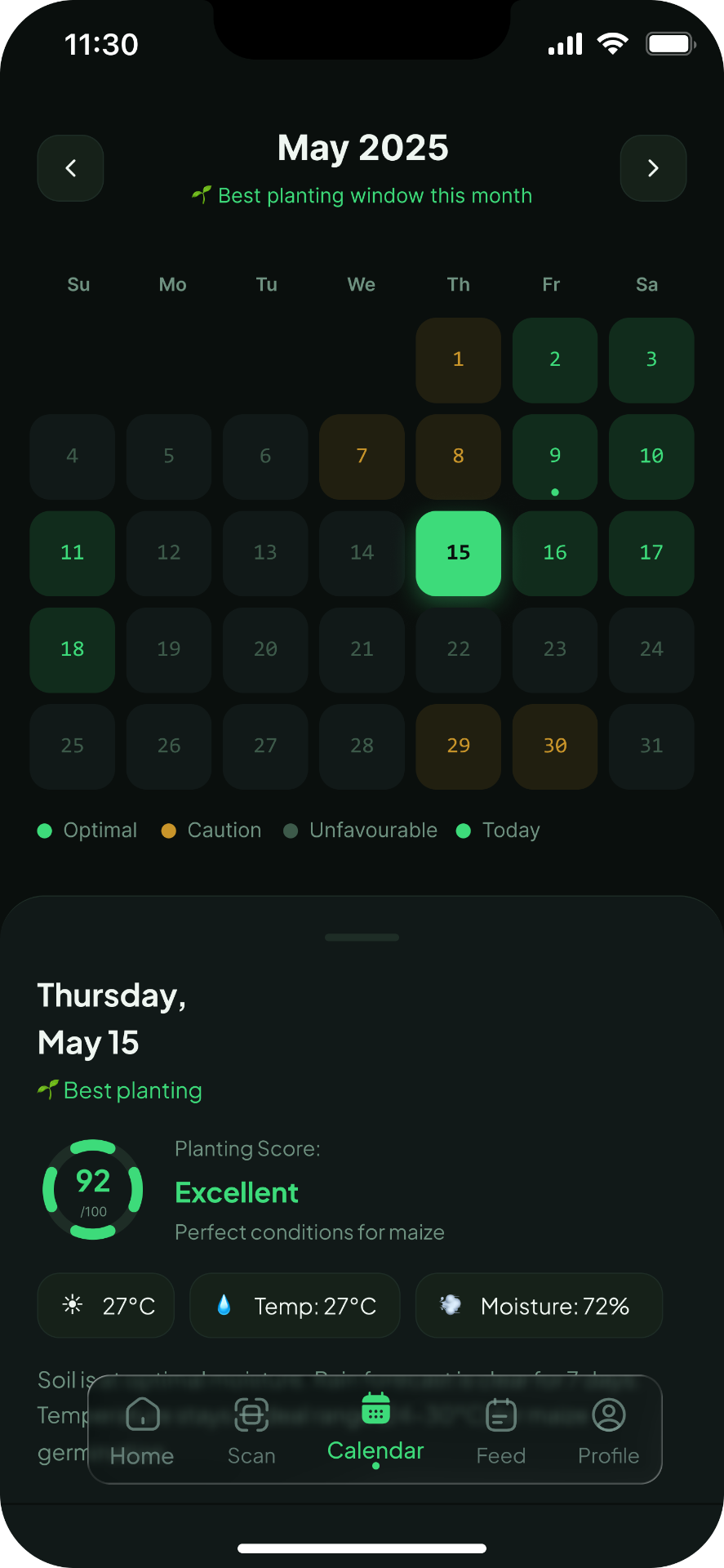
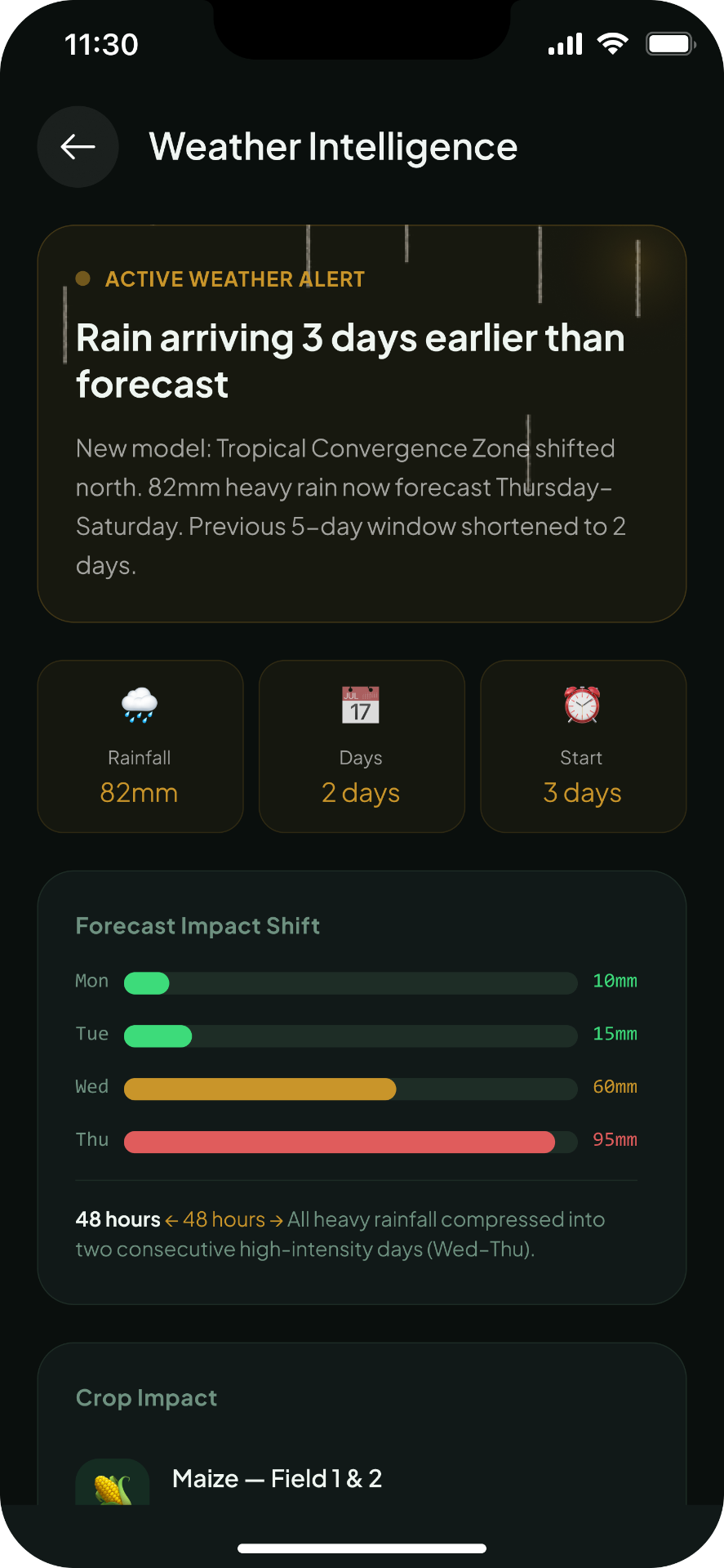
Planting Calendar & Weather Alert
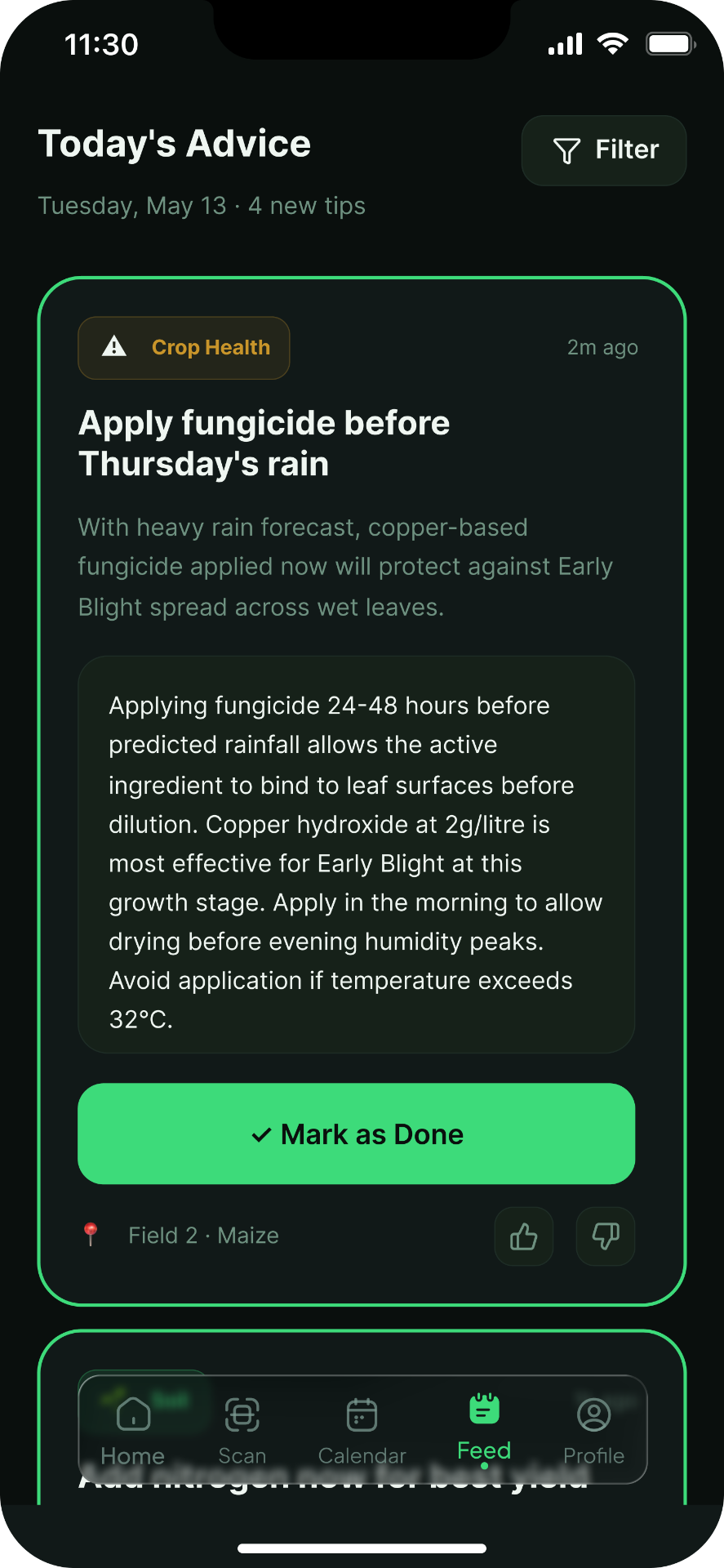
Advisory Feed
Extension Officer Dashboard (Web)
Farmer Detail (Web)
Designing for AI is ultimately a trust problem, not a technology problem. The AI in Cultivar is only useful if Emeka acts on it. He will only act on it if he trusts it. That trust is built through transparency, showing its work, explaining its reasoning, being honest about uncertainty. The confidence score gauge, the explainability screen, the processing step list, these are not features. They are the interface's way of saying: I am not hiding anything from you. Here is everything I know and how I know it.
Usability testing with real farmers in the field. Voice input integration for very low literacy users. SMS fallback for feature phones. Yoruba, Hausa, and Igbo localisation. Pilot partnership with the Lagos State agricultural extension programme.